
Workout planner for iPhone
Save the workout.
Then do it.
Paste a public workout link and GymPilot turns it into exercises, sets, reps and rest. Home tells you what to train today, and the rest timer starts itself when you tick a set.

Free on iPhone with 5 imports a month. GymPilot Pro removes the limit, sold monthly or yearly.
- TikTok
- YouTube
- public posts only
exercises with photos, grouped into Studios by body part
platforms: public TikTok, Instagram, YouTube and Facebook posts
free imports every month, with nothing to cancel
accounts or sign-ins. Your library stays on your phone
How it works
From a saved video
to a real session.
- 01
Paste the link
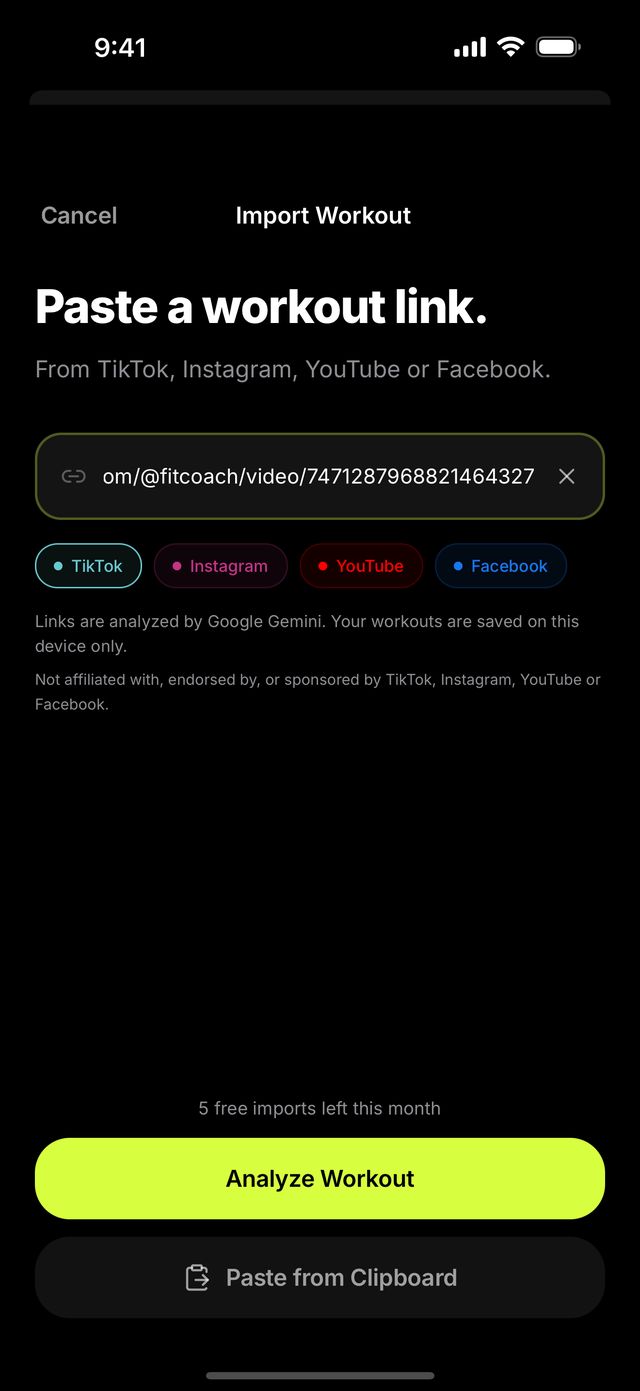
Share or paste a public TikTok, Instagram, YouTube or Facebook post. GymPilot reads the post's public title, caption and images, and for YouTube, Google Gemini watches the public video itself. Private posts cannot be read.
- 02
Check it, save it
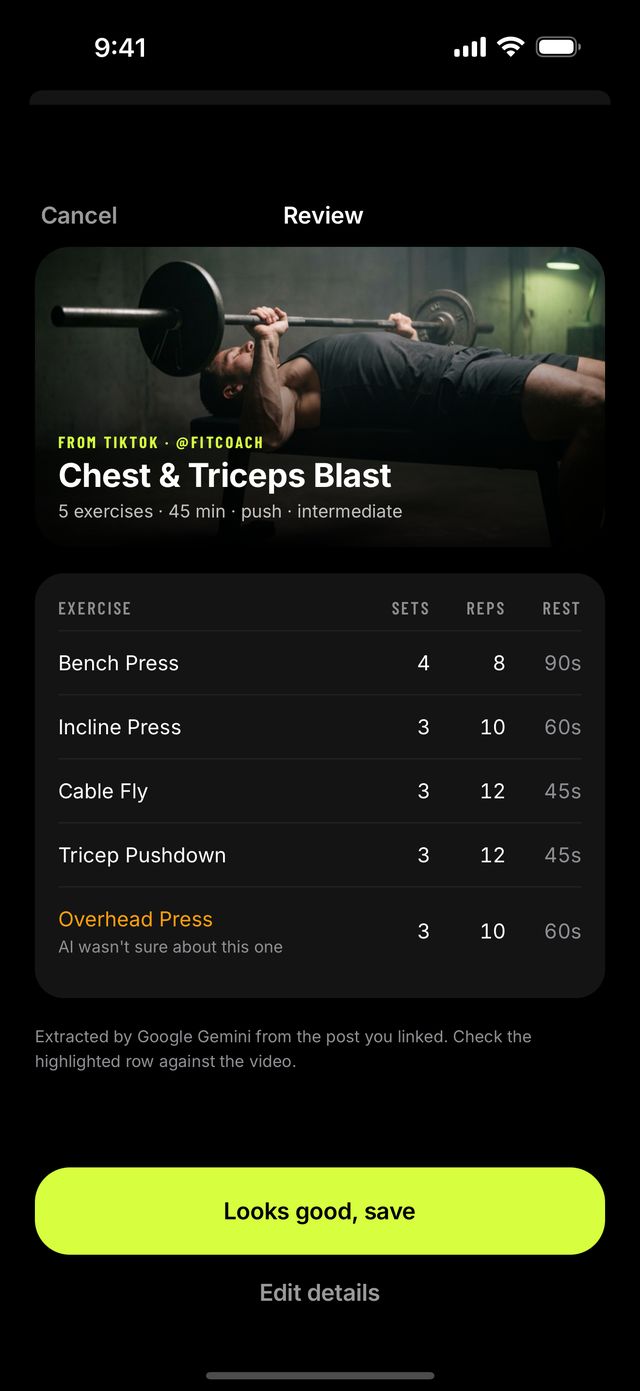
The workout comes back as a table: exercises in order, sets, reps and rest. Anything the AI was not sure about is highlighted. Tap Looks good, save, or open Edit details and fix it first.
- 03
Train from it
Home puts it on today with one Start button. The player walks you through every set, the rest timer counts down on its own, and the week fills in as you finish sessions.
Import
Save any workout video.
Paste a link.
GymPilot reads the post's public title, caption and images, and for YouTube links Google Gemini watches the public video itself. You get the exercises in order, with sets, reps and rest.
- Public TikTok, Instagram, YouTube and Facebook posts
- Rows the AI was unsure about are highlighted
- Every workout links back to the creator's post
Today
Know what to train today.
One plan. One button.
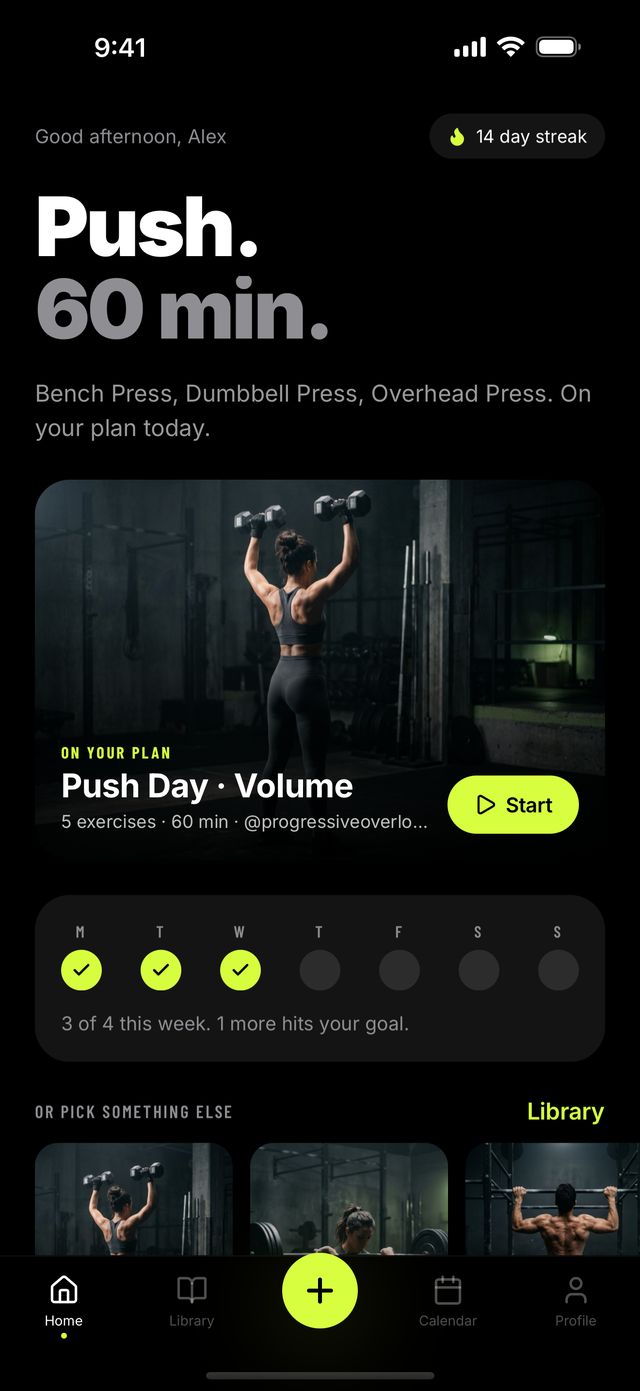
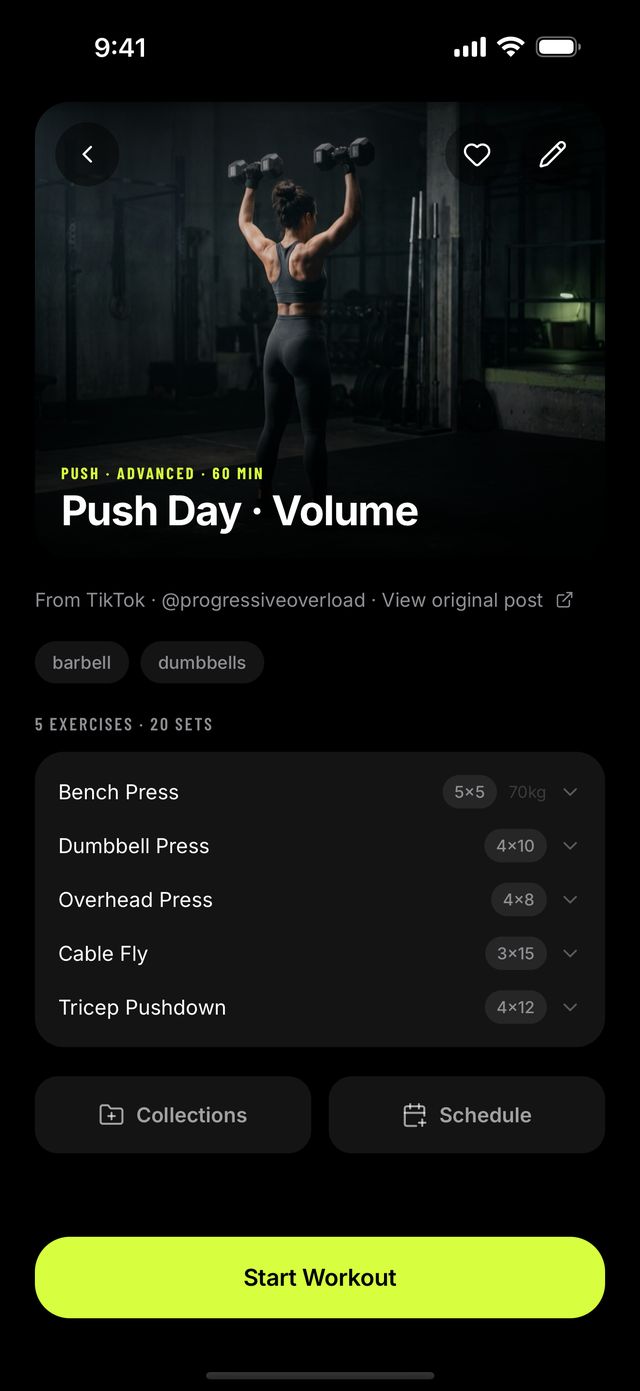
Home shows one workout in large type and one Start button. If something is on your plan, it leads. If not, GymPilot suggests the saved workout that has waited longest.
- Your week against the target you set
- Every workout has its own page, cover and source
- Pick something else from your library in a tap
In the gym
A rest timer
that starts itself.
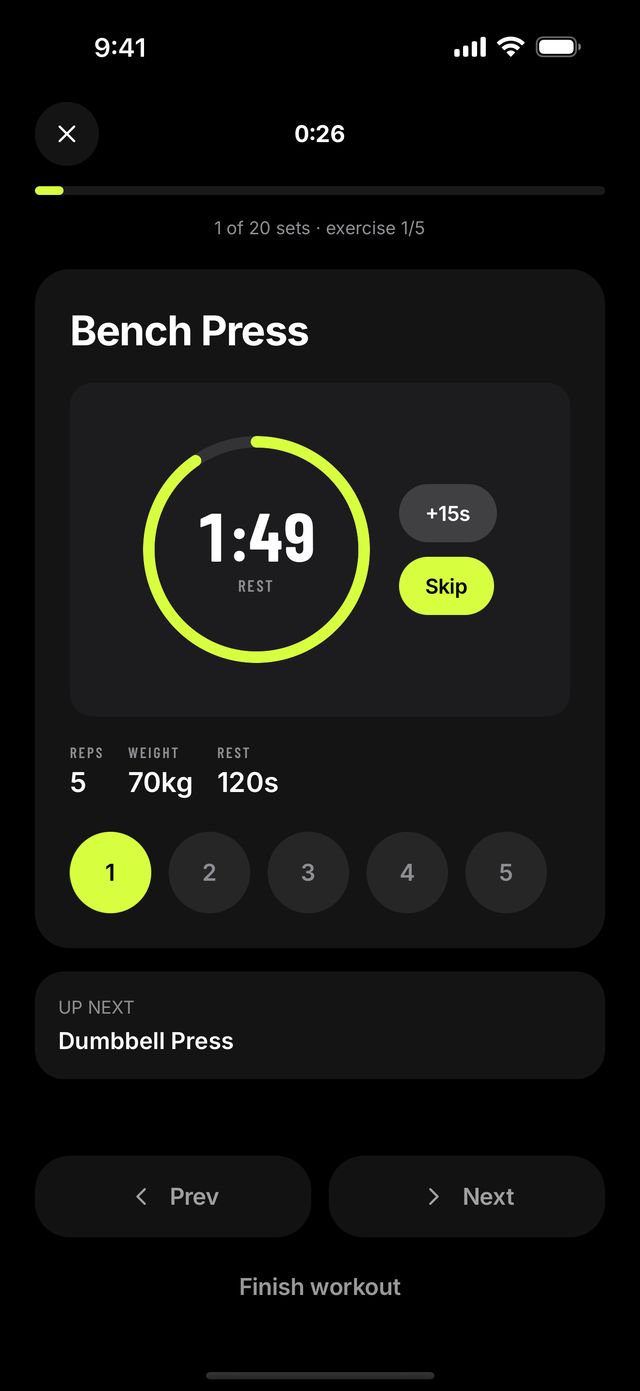
Start a workout and the player walks you through it set by set. Tick a set and the rest countdown begins, using the workout's own rest time.
- Add 15 seconds or skip
- Photo, reps, weight and rest stay on screen
- An alert when rest is over, if you allow notifications

Calendar
Plan the week.
Keep the streak.
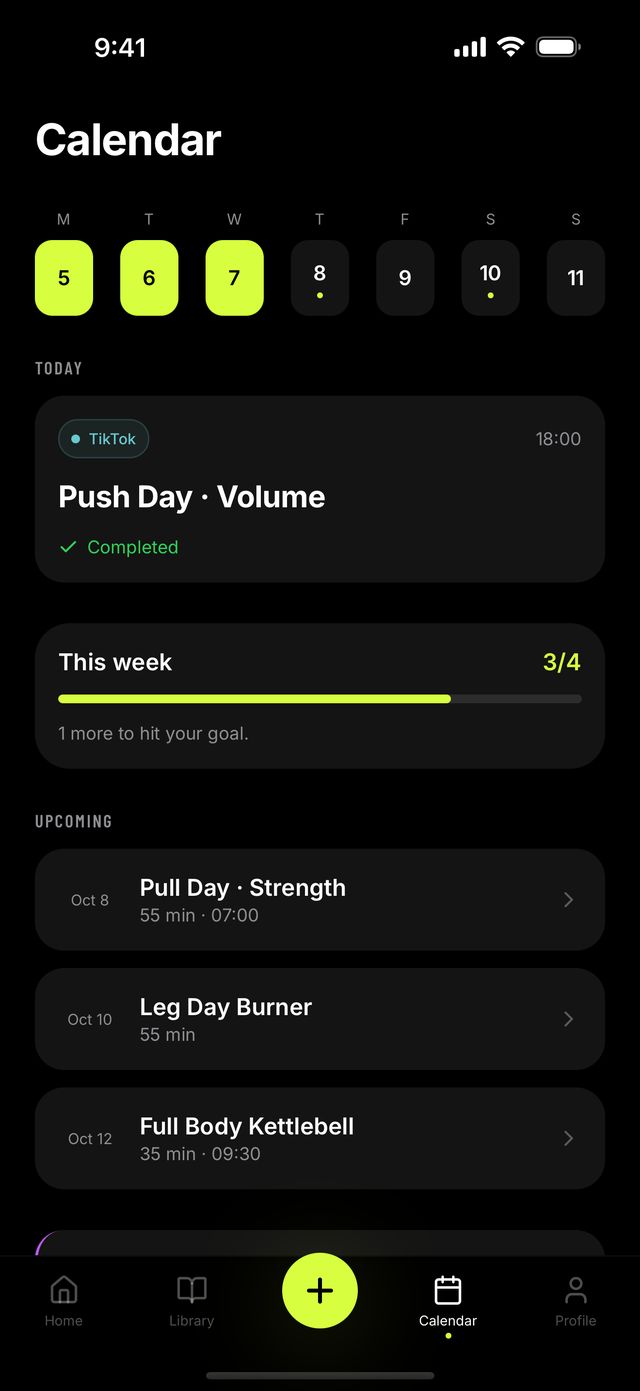
Put workouts on the calendar, add a reminder, and see the week ahead. Every finished session is logged, your streak counts up, and milestones land on your profile.
- A weekly target you choose
- Workout and streak reminders, both optional
- Calendar, history and streaks are free

Plan BuilderPro
Turn your saves
into a plan.
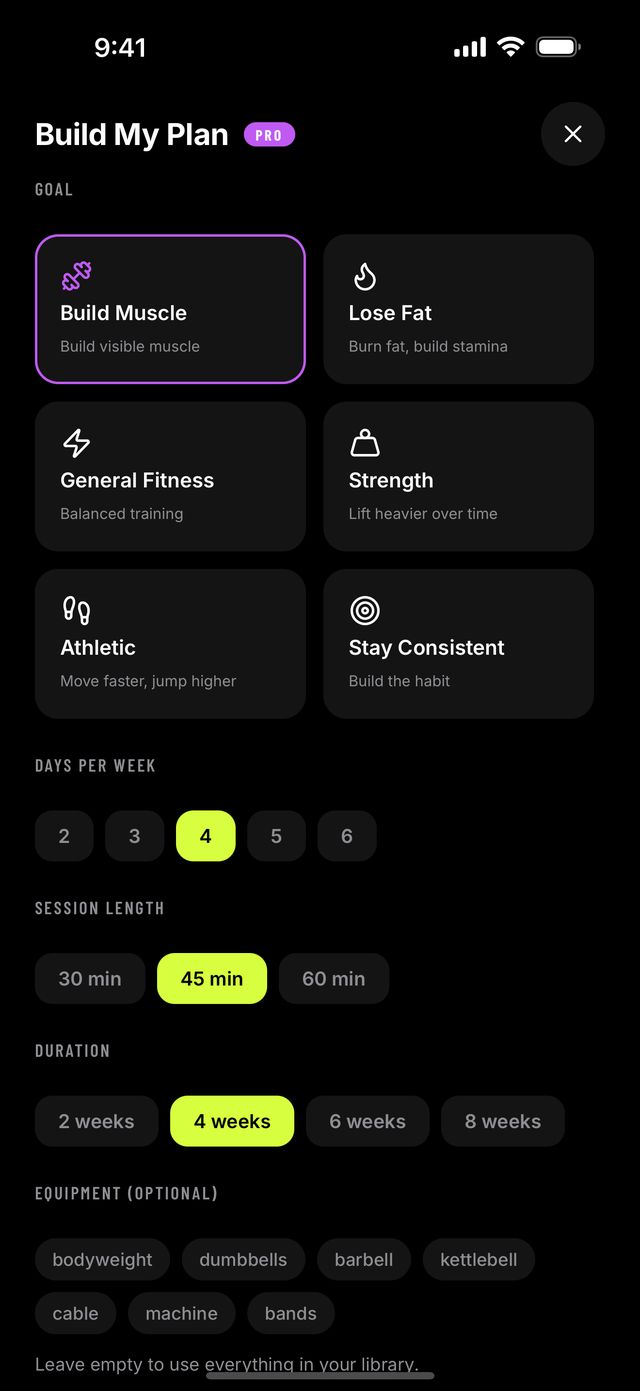
Pick a goal, days per week, session length and up to eight weeks. Plan Builder arranges your own saved workouts into that plan, with a focus and a note for each week.
- Built from workouts you chose, not a stock template
- Six goals, from building muscle to staying consistent
- Put the whole plan on your calendar in one tap
Exercise library
873 exercises.
Find yours by body part.
Every exercise in the app is also a page on this site, with photos, a plain-English how-to, common mistakes, and sets and reps by goal.
 Chest84 exercises
 Back114 exercises
 Legs161 exercises
 Glutes30 exercises
 Shoulders135 exercises
 Arms78 exercises
 Core93 exercises
 No equipment310 exercises
Inside the app
See it in the app.
Real screens from GymPilot 1.0.2, captured on an iPhone simulator. The workouts, names and streak are sample data.
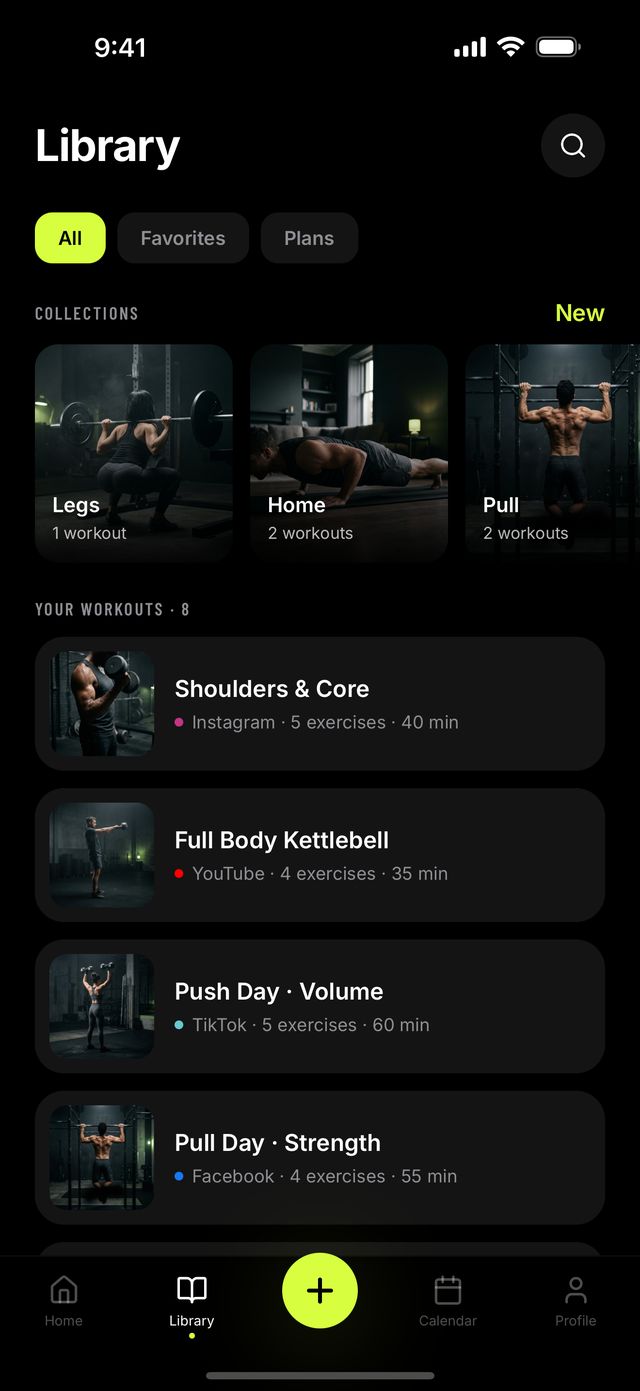
Your library, with covers
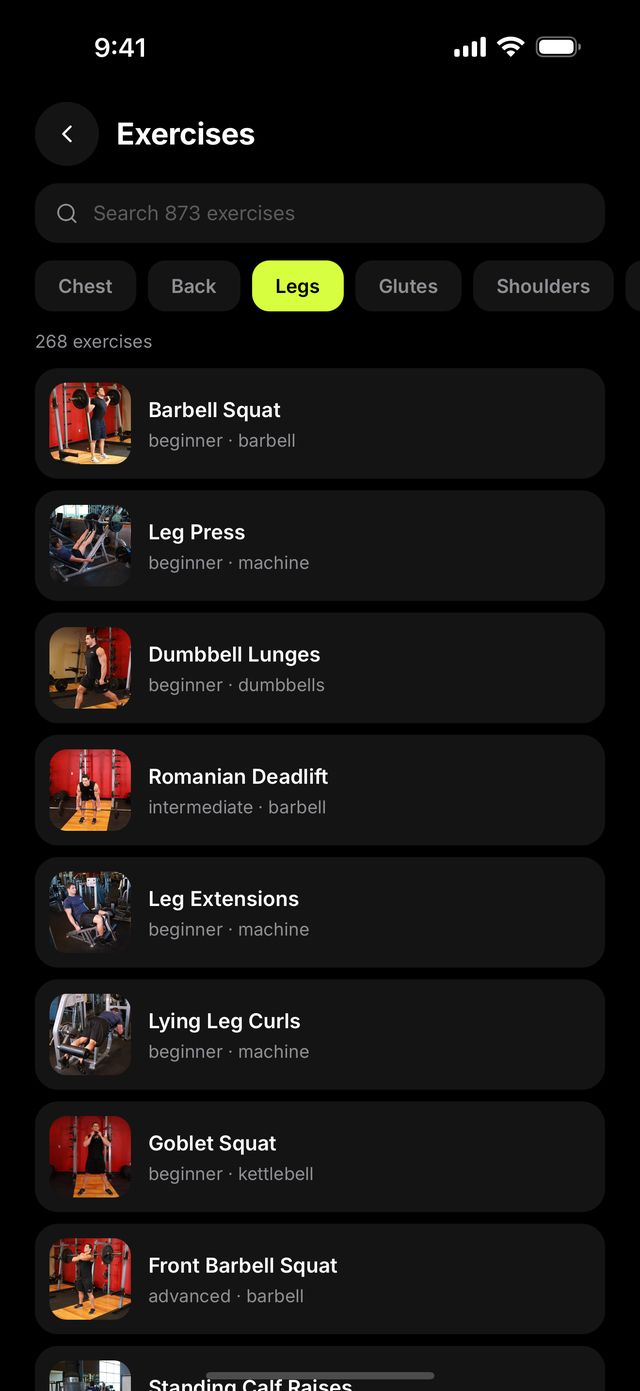
Studios by body part
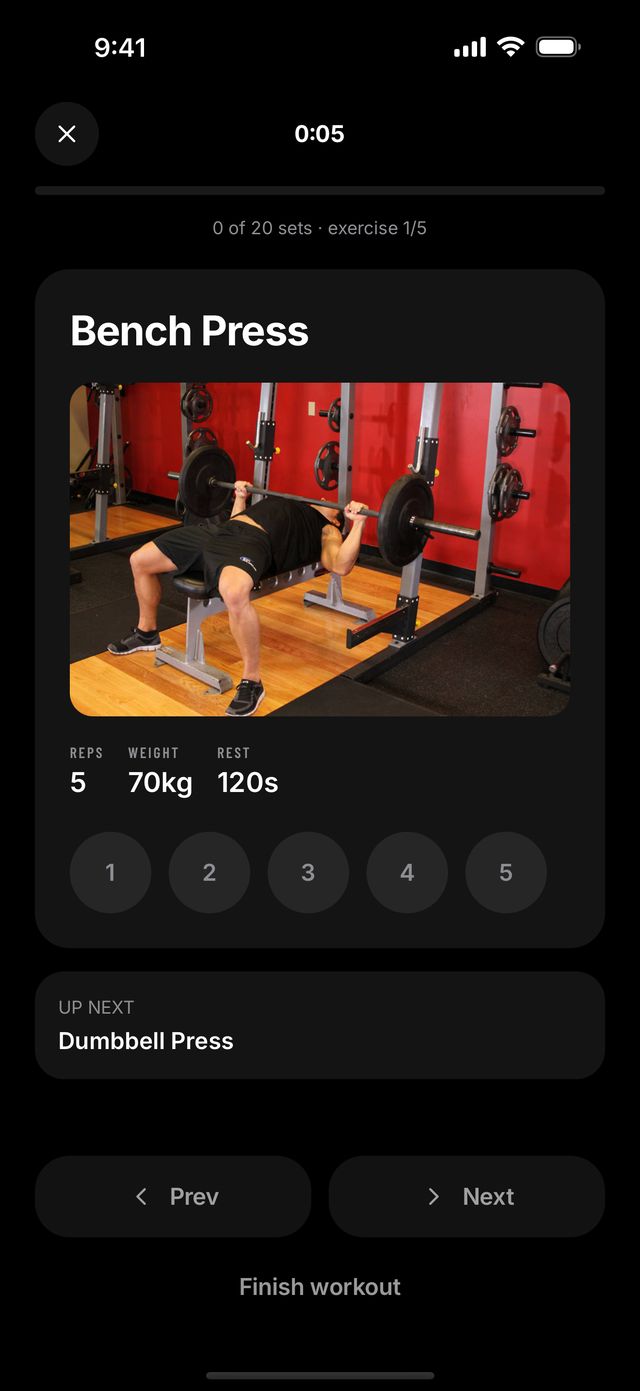
Set by set, with photos
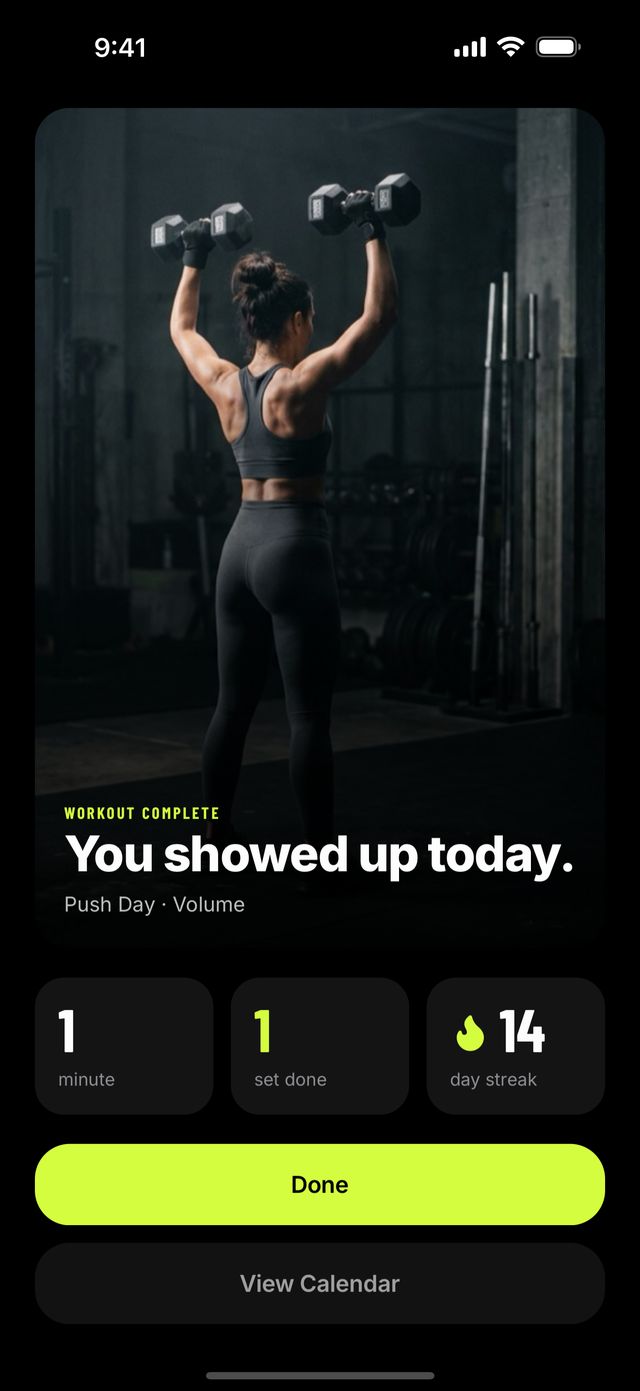
Every session counts
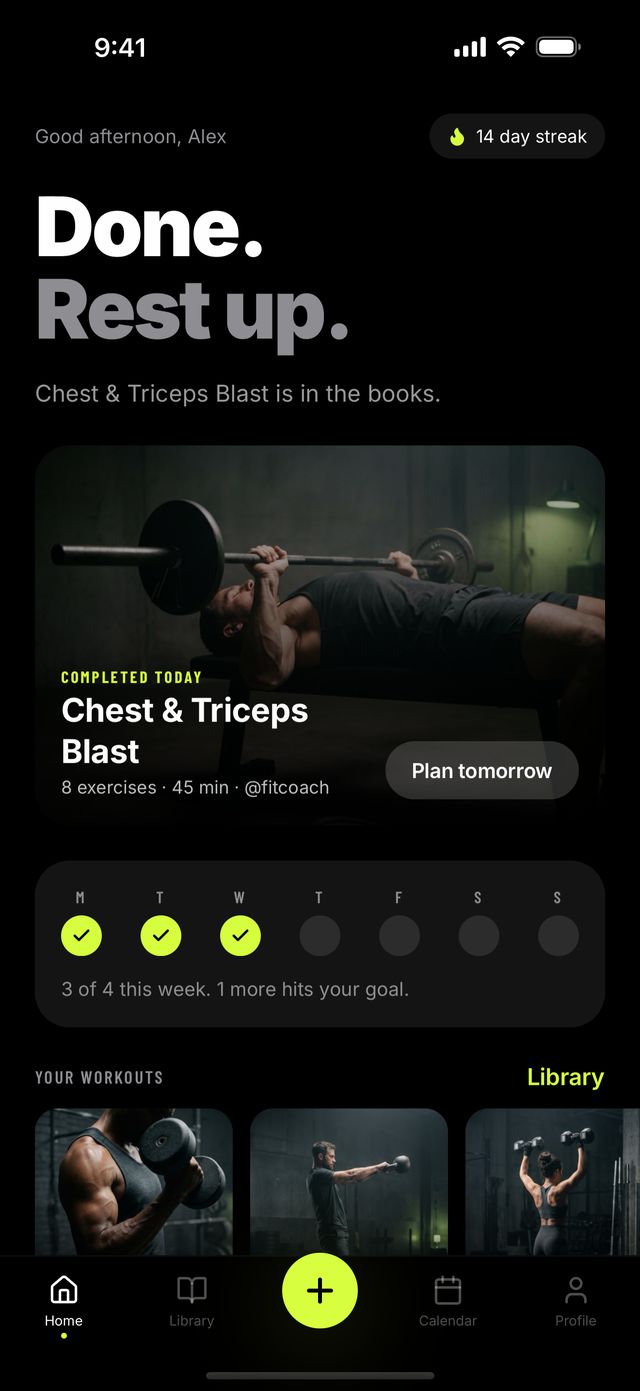
Done for the day
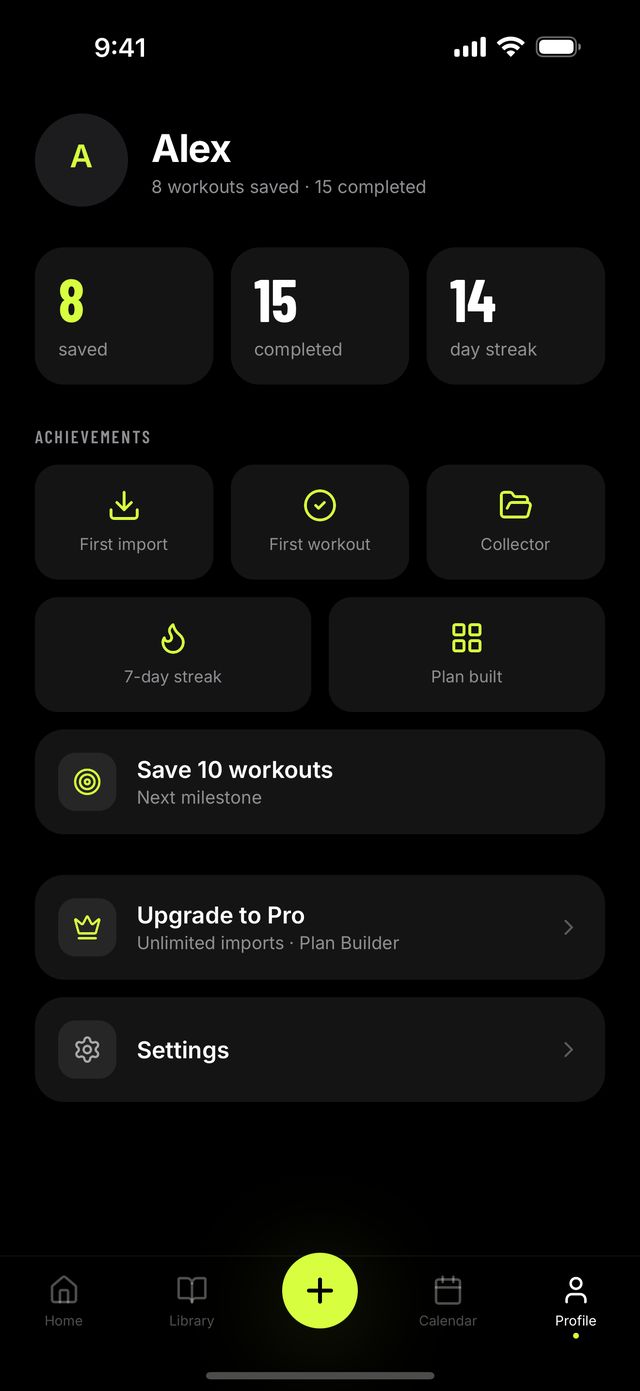
Milestones you earn
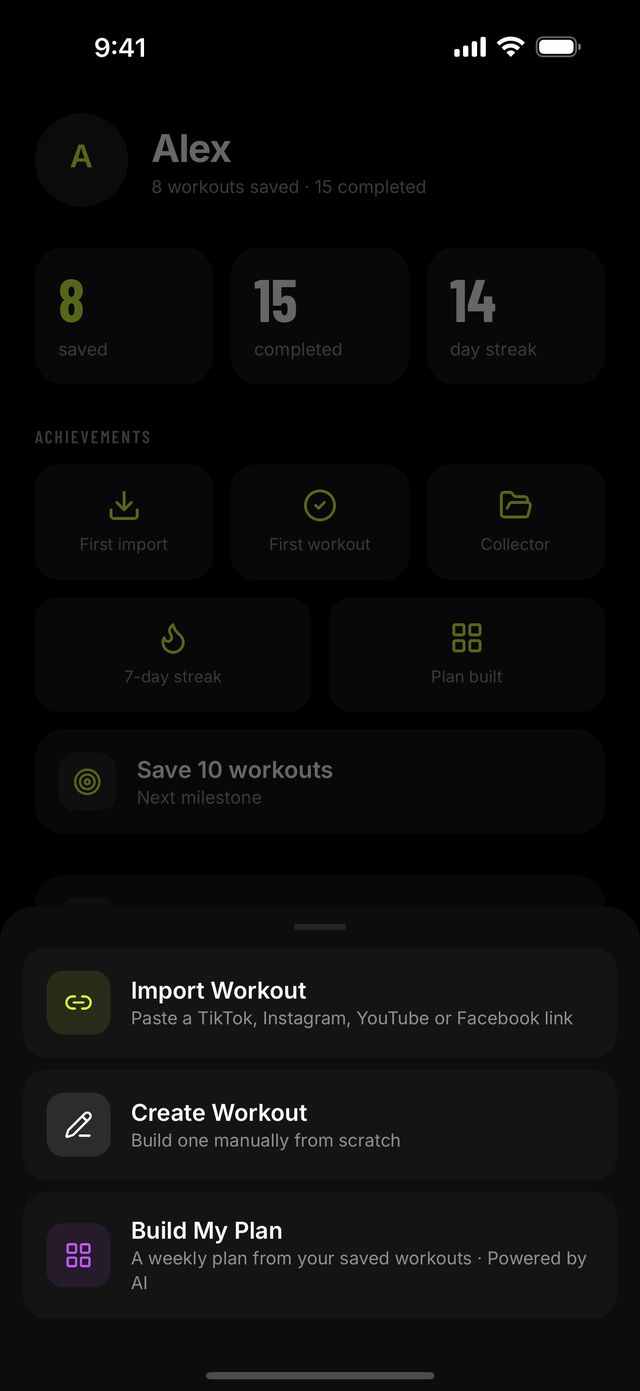
Import, create or plan
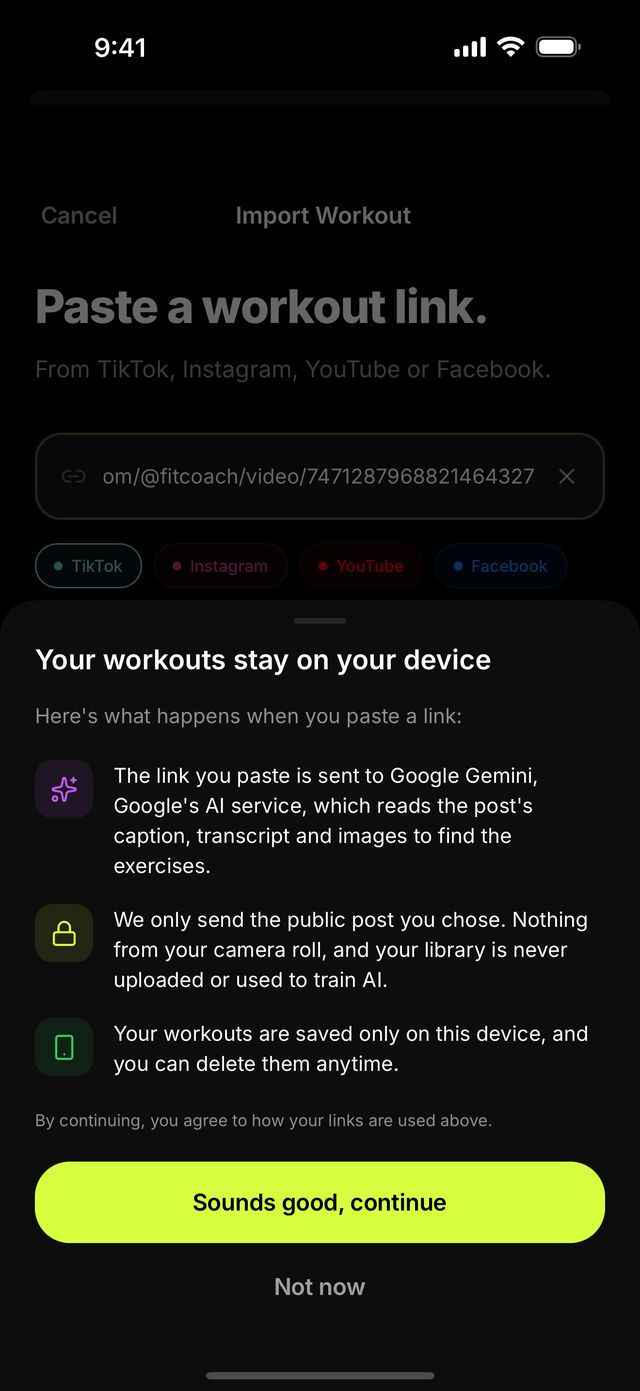
Asked before anything is sent
Blog
Latest from the blog
Straight answers
What GymPilot does,
and what it does not.
GymPilot does
- Reads a public post's title, caption and images
- Lets Google Gemini watch public YouTube videos
- Shows every import for review before it is saved
- Keeps your whole library on your phone
- Links every workout back to the creator's post
GymPilot does not
- Download or keep copies of videos
- Read private posts or private accounts
- Ask for an account, a sign-in or an email
- Use your camera or your photo library
- Work around any platform's restrictions
The AI runs on our server, not on your phone, and only the link you paste leaves the device. The privacy policy names every third party. Not affiliated with, endorsed by, or sponsored by TikTok, Instagram, YouTube or Facebook.
Plans
Free to start.
Pro when you want more.
Free
Everything you need to try it on the workouts you already saved.
- 5 imports a month
- 1 collection
- Manual workout editor
- Today on Home, the player and the rest timer
- Calendar, history and streaks
- Studios and the full 873-exercise library
GymPilot ProPro
Sold monthly or yearly through the App Store. The current price is on the paywall in the app.
- Unlimited imports
- Plan Builder, up to eight weeks
- Unlimited collections
- Everything in Free
Cancel any time in your iPhone's Settings, under your name, then Subscriptions.
Which links can GymPilot import?
Public posts on TikTok, Instagram, YouTube and Facebook. Paste the link or share it to the app. Private posts and accounts cannot be read. GymPilot reads the post's public title, caption and images, and for YouTube links Google Gemini watches the public video itself. Nothing is downloaded to your phone and no copy of the video is kept.
What happens when a post does not list its exercises?
Some Instagram and TikTok posts show the routine only inside the video, where the post page does not expose it. When that happens GymPilot opens the editor with the title already filled in, and you add the exercises yourself. YouTube imports read the video directly, so they are less likely to.
Does it need an account?
No. The app works fully without one. Your library is stored on the device, there is no sign-in and no cloud sync in the current version, and deleting the app deletes the data.
How does the rest timer work?
Tick a set in the workout player and the rest countdown starts on its own, using the rest time from the workout, or 60 seconds when none is set. You can add 15 seconds or skip it. If you allow notifications, GymPilot tells you when rest is over even with the phone locked.
What does GymPilot Pro cost?
Pro is sold as a monthly or a yearly subscription through the App Store, and the current price is shown on the paywall inside the app. It unlocks unlimited imports, Plan Builder and unlimited collections.
What happens to the link I paste?
It is sent to our server, which fetches the post's public content and passes it to Google Gemini to build the workout. Nothing is stored on the server afterwards. The privacy policy names every third party.
Is there an Android version?
No. GymPilot is built for iPhone and also runs on iPad. There is no Android version and no web app.
How is a plan built?
You pick a goal (build muscle, lose fat, strength, general fitness, athletic or staying consistent), days per week, session length, a duration of two to eight weeks, and your equipment. Plan Builder arranges your own saved workouts into that plan with a focus for each week. It needs a few saved workouts to work from.
How do I cancel?
In Settings, then your name, then Subscriptions on your iPhone. That is Apple's flow and it is two taps.